
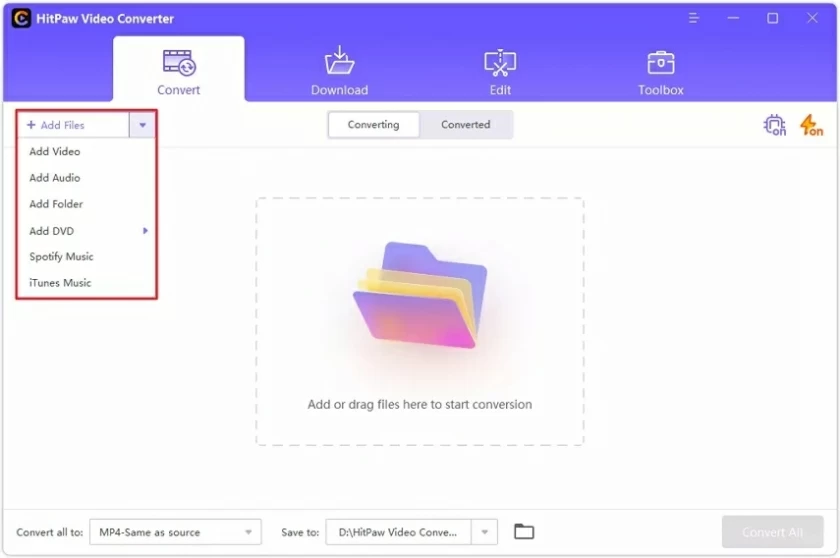
Unlocking the Potential of Video Converters
In today’s digital age, video content is king. Whether for personal use, educational purposes, or business marketing, videos play a crucial role in communication. However, one common challenge arises: compatibility. Different devices and platforms often require specific video formats. This is where a video converter video converter becomes indispensable. These tools enable users to easily change the file format of their videos, ensuring smooth playback across various devices and platforms.
What is a Video Converter?
A video converter is a software tool that allows users to convert video files from one format to another. There are numerous formats available such as MP4, AVI, MOV, WMV, and MKV, among others. Each format has its own advantages, and choosing the right one can significantly affect video quality and compatibility.
Why Use a Video Converter?
There are several reasons why individuals and businesses might need a video converter:
- Device Compatibility: Different devices require different formats. For instance, while MP4 works on most smartphones and tablets, older devices may only support AVI.
- File Size Management: Certain formats are more efficient at compressing video file sizes without sacrificing quality. This is particularly important for online uploads or when storage space is limited.
- Video Editing: Many video editing software tools prefer specific formats. Converting your video before editing can streamline the process.
- Quality Retention: Some formats support higher resolutions and better audio quality. Choosing the right format can help retain the video’s original quality during editing and conversion.
Common Video Formats
Understanding video formats is essential for choosing the right converter:
- MP4: One of the most widely used formats, it offers significant compression while maintaining quality. Ideal for streaming and portability.
- AVI: Known for its high quality, this format is less compressed and therefore produces larger file sizes. It’s great for editing but may not be compatible with all devices.
- MOV: Developed by Apple, this format is perfect for QuickTime players and Mac devices. It often provides excellent quality but can have larger file sizes.
- WMV: A Windows-specific format that is highly compressed, making it suitable for web streaming. However, it may not work well on non-Windows devices.
- MKV: A versatile format that can handle an unlimited number of video, audio, and subtitle tracks. It’s popular for HD content but may require specific players for viewing.
How to Choose a Video Converter
With so many video converters available, selecting the right one can be daunting. Here are some factors to consider:
- User Interface: A simple and intuitive interface can make the conversion process much easier, especially for beginners.
- Supported Formats: Ensure the converter supports the formats you need for both input and output.
- Conversion Speed: Some converters are faster than others. Look for one that meets your speed requirements without sacrificing quality.
- Quality Options: A good converter should allow you to adjust settings like resolution, bitrate, and frame rate to optimize the output quality.
- Cost: While many converters are free, some offer premium features. Determine what fits your budget and needs.
Online vs. Offline Video Converters
Video converters can be divided into two categories: online and offline. Each has its pros and cons.
Online Video Converters
Online converters are convenient and do not require installation. You simply upload your video, select the output format, and download the converted file. However, they can have file size limitations and depend on a stable internet connection.
Offline Video Converters
Offline converters are installed on your computer and can handle larger files without internet dependency. They typically offer more features and customization options but require more system resources.
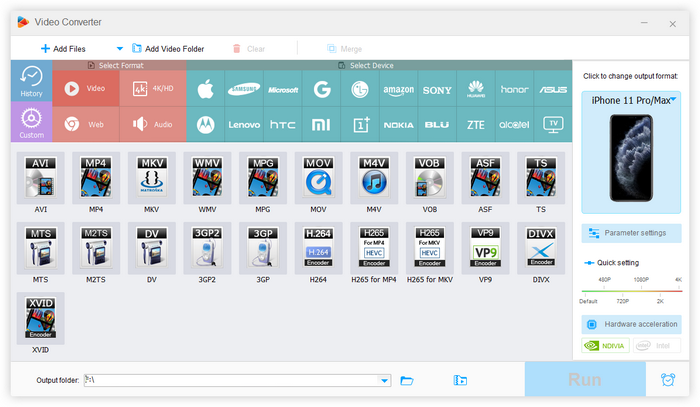
The Future of Video Conversion
As technology evolves, so too does the world of video conversion. With the rise of 4K and even 8K video, converters will need to adapt to handle larger file sizes and higher quality demands. Additionally, artificial intelligence and machine learning are becoming more prevalent in video processing, potentially streamlining the conversion process and improving quality retention.
Conclusion
A video converter is an essential tool for anyone working with video content. With the right converter, you can ensure your videos are compatible across devices, maintain high quality, and streamline your editing process. Whether you opt for an online service or a dedicated application, understanding your needs will help you make an informed decision and unlock the true potential of your video projects.
Remember, the world of video is vast and ever-changing. Keeping up with the latest formats and technologies will enhance your ability to create and share compelling video content effectively.
 English